
Dugdhalekha: Your milk accounts, at your fingertips.
The offline milk hisab app for dairies and milkmen in Gujarat. Record every delivery, track payments and send monthly bills on WhatsApp, in Gujarati or English.
- Android
- Works offline
- ગુજરાતી / English
- iOS coming soon
Features
Everything the paper diary did, without the mistakes
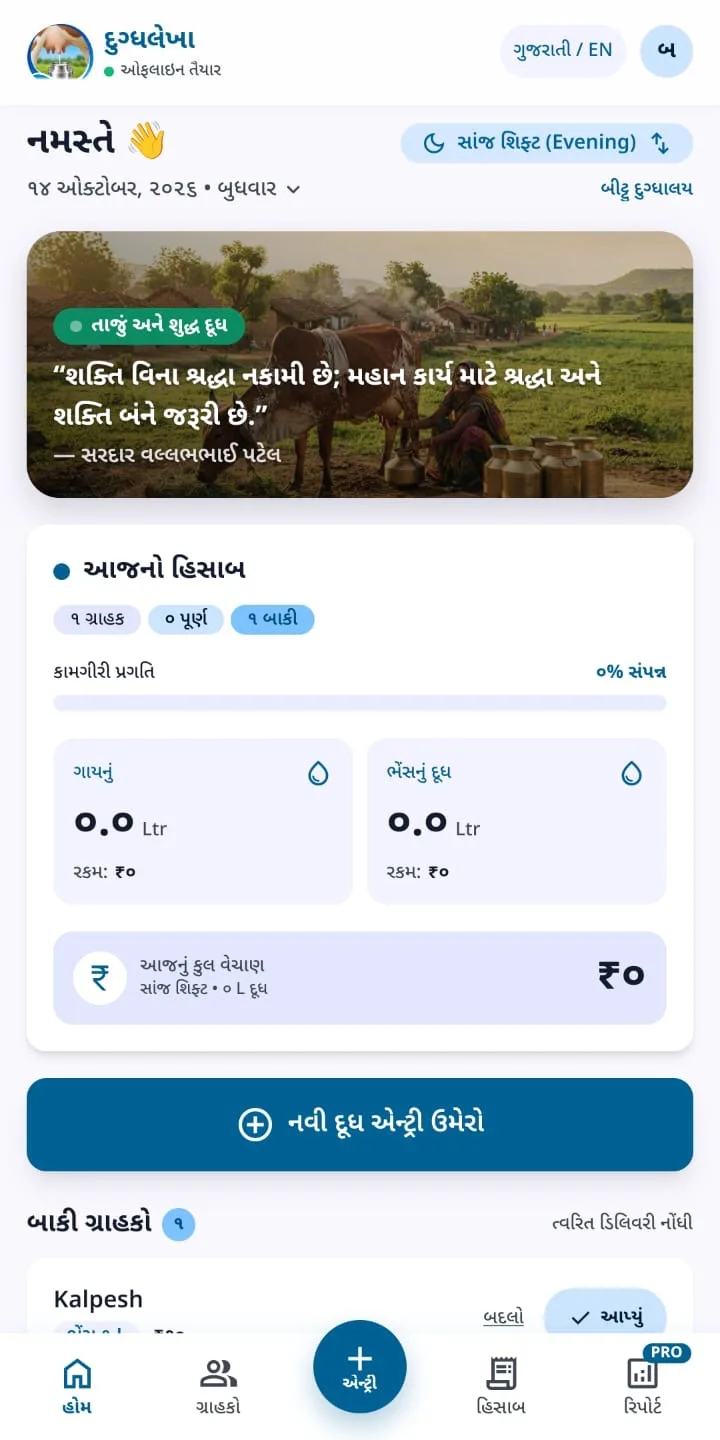
Works offline
Daily accounting works without internet. Sign-in, plan payments, cloud backup and WhatsApp sharing need a connection.
Morning and evening shifts
One tap for Delivered, No milk or Deliver all.
Every customer, set up once
Milk type, quantity, rate and opening balance. Pause anyone who is away.
Rate history
Change a rate today and past bills stay exactly as they were.
Balances always right
Opening balance + milk − payments, worked out live.
Monthly reports
Export to PDF or CSV whenever you need them.
Encrypted cloud backup
Restore everything on a new phone.
Gujarati and English
Switch the language instantly, any time.
Bills
Monthly bills, sent in a few taps
Every customer gets a clear PDF bill with a UPI QR code and your signature, so they can pay on the spot. Prefer plain text? Send the same bill as a WhatsApp message.
- PDF bill with UPI QR and signature
- Plain-text bill for WhatsApp
- Payments update the balance immediately
How it’s built
Built to be trusted with money
Licence checked on the phone
Subscriptions are signed and verified offline, so the app keeps working without internet, and changing the phone’s clock cannot extend a plan.
Totals without rounding errors
Money is stored in paise and quantities in millilitres, always as whole numbers. A month of entries adds up to the exact rupee.
Backups that cannot go backwards
Backups are stored encrypted, and an out-of-date phone can never overwrite a newer backup.
React Native · Expo · TypeScript · SQLite · Cloudflare Workers · Razorpay

Download
Get Dugdhalekha
Start with a free trial. Then choose Basic or Pro, monthly, quarterly, half-yearly or yearly, and pay securely through Razorpay. Your plan activates automatically.
- Installing on Android
Download the APK
Tap “Download for Android” on your phone.
Allow the install
Open the file. If Android asks, allow installs from your browser for this one app.
Sign in and start
Open Dugdhalekha, sign in with Google and your free trial begins.
Designed and built by Kritvan